Click “Choose Template” or “Change Template” to access all available templates (see this topic for more information about choosing templates).
Templates created in template editor are available in the Custom Templates section.
1. Rename custom templates
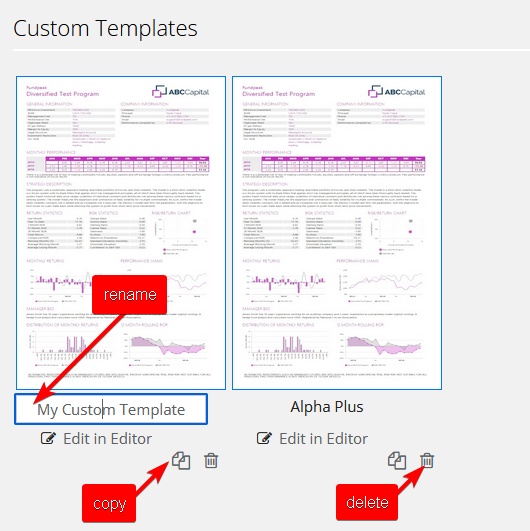
Move your mouse over any template´s name and click on it to edit it. See the picture below.
2. Copy custom templates
Click the copy icon to duplicate a template. See the picture below.
3. Delete custom templates
Click the dustbin icon to delete a template. See the picture below.