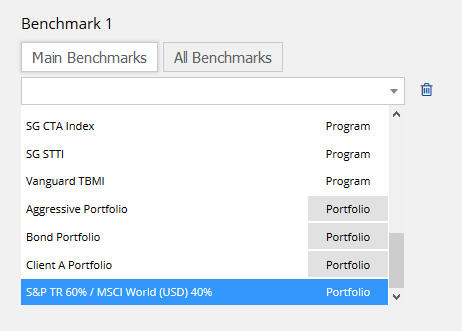
Blended benchmarks can be created using our portfolio tool. This tool allows users to combine any number of programs and other instruments into a portfolio. The portfolio can then be selected as a benchmark. See the steps described below for more details.
1. Create new hypothetical portfolio
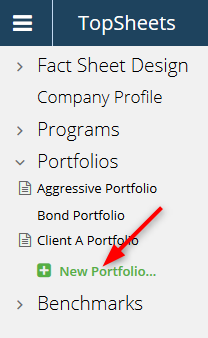
Click “New Portfolio” in the left frame and then choose “Hypothetical Portfolio” in the right frame.
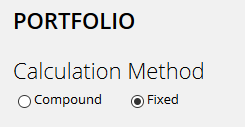
2. Set calculation method to fixed
3. Add Portfolio Items
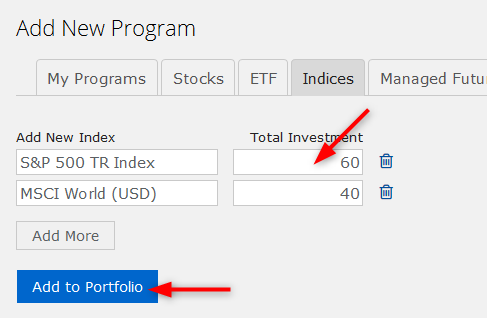
Market indexes are available under Indices tab. Custom benchmarks can be found under My Programs tab. The weight is set using the “Total Investment” field.
4. Rename the Portfolio
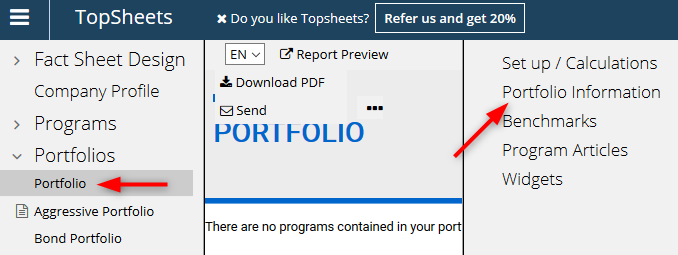
Select your newly created portfolio in the left frame and click “Portfolio Information” in the right frame. The portfolio in this example was renamed to S&P TR 60% / MSCI World (USD) 40%.
5. Assign Portfolio as Benchmark
Select a program in the left frame and click Benchmarks in the right frame. Portfolios are available among other benchmarks under the “Main Benchmarks” tab. See this topic for more information about adding benchmarks.