
1. Get the URL
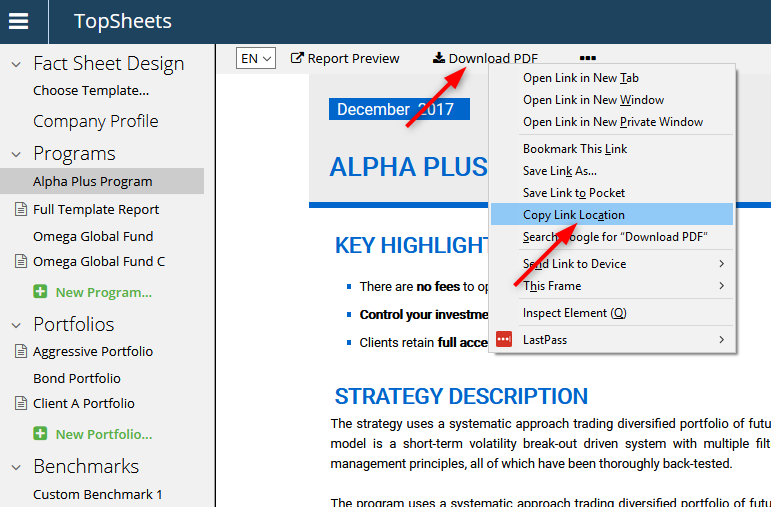
Select a program in the left frame. Then right-click the “Download PDF” link and copy link´s location, see image below.
2. Create link or button
When you have the address copied, you can create a simple link or a button. In the examples below replace “URL” with the real URL address that you copied.
Link example:
<a href="URL">Download PDF</a>
Button example:
<form action="URL">
<input type="submit" value="Download PDF">
</form>